Service Hub Implementation Services
Launch Service Hub in 30 days or less
Most partners can set up Service Hub. Only seven are accredited by HubSpot to do it right. We turn CS processes into a revenue engine that keeps your customers coming back.

Your CRM should fuel growth through customer loyalty. Our Service Hub Launch gives you the RevOps foundation to standardize processes, measure performance, and scale CS.
-
menu_book
Our Service Hub implementations are simple, objective-based paths tailored to how you serve your customers.
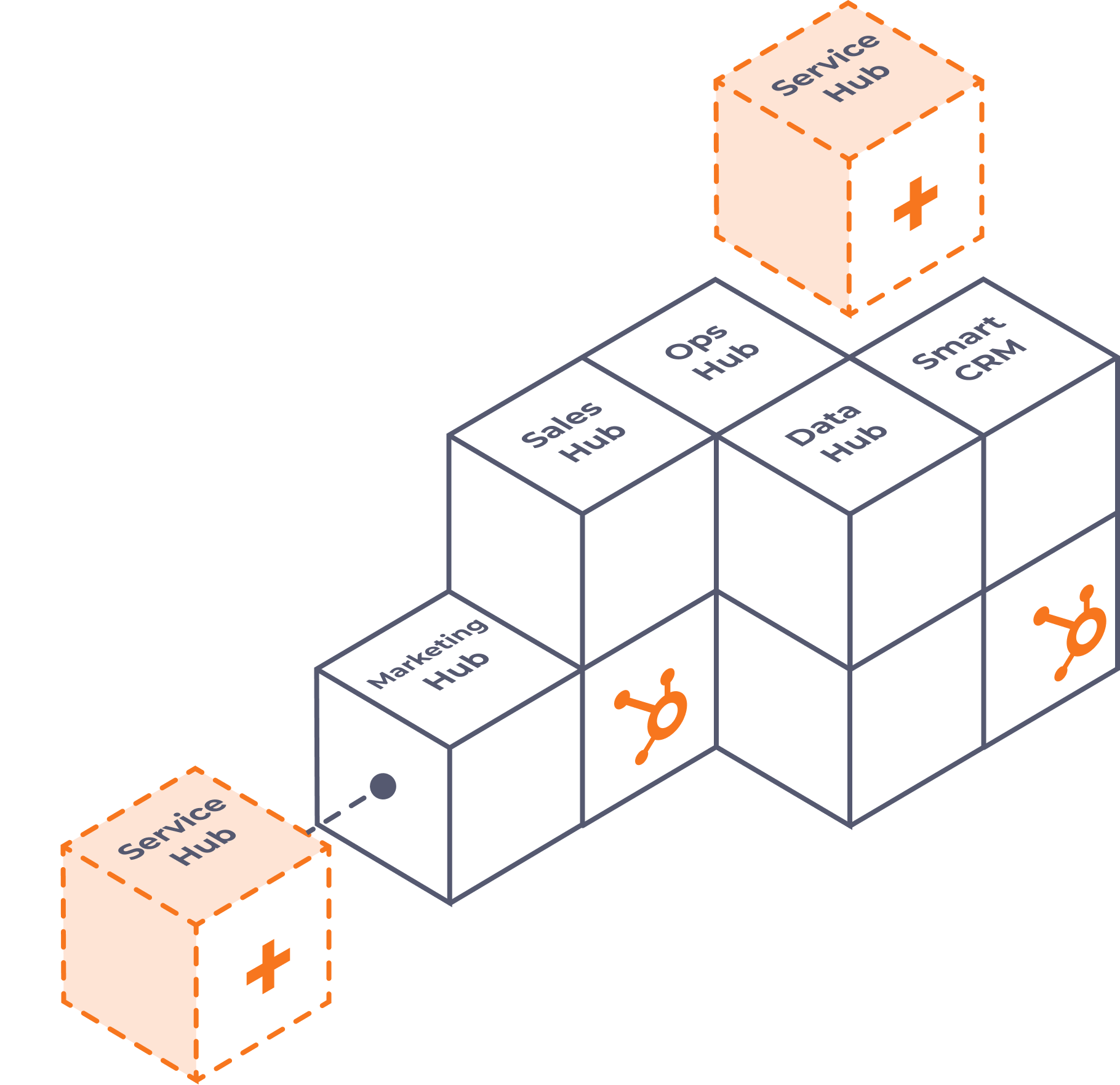
Whether you need a modern help desk to manage support requests, a structured onboarding process for new customers, or a unified system that combines both, we'll deploy the infrastructure you need to deliver a better customer experience.
-
Phase 1
Foundationals
- Diagnostics: Discovery of existing processes & desired end state.
- User Setup: Configure roles, teams, and permissions for accuracy and adoption.
- Lifecycle Stages: Automate stage assignments so every lead, opportunity, and customer moves through the funnel consistently.
- Lead Status: Track rep activity with clear status updates, ensuring visibility into how contacts are being worked.
-
Phase 2
Sales Operations
-
Sales Hub Technical Setup: Connect key apps, goals, Gmail/calendar integrations, and meeting links.
-
Deal Pipeline Setup: Build one pipeline with probabilities, entry/exit requirements, views, and required fields.
-
Forecasting: Create forecast categories mapped to sales stages, giving leaders real visibility into pipeline health.
- Pick & Choose + Add-Ons: Configure the add-ons your team chose. Deal Source, Lead Scoring, CPQ setup, etc
-
-
Phase 3
Reporting & Training
- Sales 1:1 Dashboard: Build personalized dashboards for activity and deal management.
- Sales Weekly Dashboard: Track pipeline movement, rep performance, and KPIs at a glance.
- Adoption & Training: A live training session to ensure your team understands and uses the new setup effectively.
Customer Onboarding
Single package
14 Days
$2,000
Launch a seamless sales-to-service handoff process with a structured customer onboarding process.
Automate the Handoff
Instantly trigger a customer onboarding ticket the exact moment a sales rep marks a deal as Closed-Won.
Standardize the Customer Journey
Map out clear onboarding stages so your implementation team always knows the exact status of a new account.
Improve Time-to-Value
Keep customers engaged and moving forward with automated internal notifications that keep your team accountable to deadlines.
Preserve Deal Context
Ensure your onboarding team has immediate access to critical sales notes and history right inside the ticket view.
Customer
Support
Single package
14 Days
$2,000
Turn a reactive shared inbox into a high-efficiency digital help desk that tracks, routes, and resolves customer requests.
Centralize the Chaos
Consolidate emails, forms, and calls into a single, unified Help Desk inbox so your team never misses a customer request.
Automate Ticket Routing
Eliminate manual sorting by automatically assigning incoming tickets to the right team members based on pre-set rules.
Track Resolution Velocity
Establish a clear Support Pipeline with custom stages to monitor open cases, bottlenecks, and resolution times.
Standardize Data Capture
Deploy optimized support forms that gather the exact information your team needs to troubleshoot issues on the first try.
Customer
Success
Bundled package
30 Days
$3,250
Bundle customer onboarding and support into a complete post-sale operating system.
Unified Customer Workspace
Give your team a true 360-degree view of the customer, tracking both their initial setup milestones and their ongoing technical support history in one place.
Smarter Account Health Insights
Empower account managers to spot at-risk renewals by seeing onboarding delays and high support ticket volumes side-by-side.
Seamless Internal Escalations
Easily transition a customer from standard onboarding to the support queue without losing momentum or data.
End-to-End Service Hub Setup
In-depth Service Hub configuration and setup combining both support inbox and onboarding setup for a comprehensive service launch.
| Initiatives & Task Breakouts |
Support Inbox
14 Days / $2,000
|
Onboarding
14 Days / $2,000
|
Support + Onboarding
30 Days / $3,250
|
|---|
| Initiatives & Task Breakouts | Support Inbox | Onboarding | Support + Onboarding |
|---|---|---|---|
| Foundational Setup and Compliance | |||
HubSpot Tracking CodeEnsures proper installation of the tracking code to capture website traffic in HubSpot, enabling source reporting, allowing us to identify sources that our leads are coming from, eg. Paid Search, Organic Social, etc. |
|
|
|
Video Conferencing ToolEnsure that the video conferencing tool of choice is connected properly to automatically add a video conference link when the HubSpot meeting scheduling link is used |
|
|
|
BrandingSetup branding functions (company name, logo, favicon and colors), currency, company name and timezones |
|
|
|
Google Analytics and Google Tag ManagerRP connects accounts to HubSpot to start collecting traffic information in HubSpot |
|
|
|
Subdomain and Email Sending DomainSubdomain(s) and email sending domain will be connected to be used for building landing pages and sending marketing emails |
|
|
|
Data Privacy SettingsEnsure account adherence to GDPR guidelines |
|
|
|
User SetupEnsures user roles/permissions and teams that will later inform reporting. Customer must provide an initial list of users via a .csv file template |
|
|
|
Contact and Company UploadUpload a CSV or Excel file of existing contacts & companies into HubSpot. The file to upload must be submitted by you based on a template provided by the RevPartners team |
|
|
|
| Service Foundations | |||
Ticket Pipeline SetupSetup one standard pipeline including entry & exit requirements, views, and required fields *Note: When you purchase the Support + Onboarding Package, you receive two (2) ticket pipelines. |
|
|
|
Form Setup (Support Request)Setup one support intake form that automatically creates a new support ticket in the support ticket pipeline |
|
|
|
Support Inbox Setup (Help Desk)Guidance on getting the support inbox connected to HubSpot for support inquiries that automatically creates a support ticket in the support ticket pipeline |
|
|
|
Knowledge Base or Chatbot/CS Agent SupportBy choosing the Support Inbox or Support + Onboarding package, you'll have the option to choose either Knowledge Base support via placeholder documentation or support with either a chatbot setup OR foundational customer agent setup. For the Onboarding only path, you'll be able to choose between either Knowledge Base support via placeholder documentation or support with foundational customer support agent setup. |
Knowledge Base OR Chatbot/Cust. Agent
|
Knowledge Base OR Cust. Agent
|
Knowledge Base OR Chatbot/Cust. Agent
|
| Customer Satisfaction | |||
CSAT Survey (Onboarding Experience)Create a CSAT Survey to capture the onboarding experience of the customer. Survey gets sent to the customer automatically when an onboarding is completed |
|
|
|
| Reporting and Analytics | |||
Support Overview DashboardOpen Tickets by Status, Unassigned Tickets, Tickets Closed This Month, Average Time to Close |
|
|
|
Onboarding Performance DashboardOpen Tickets by Status, Average Time to Go Live, CSAT Score and Response Volume, Rep Leaderboard |
|
|
|
| Notifications and Alerts | |||
New Ticket Notification (Internal Alert)Automatically notify support team of a new ticket being created |
|
|
|
Auto Ticket Creation from Deal Closed WonSet up a workflow that creates an Onboarding Ticket automatically upon Deal Closed Won in the Onboarding Ticket Pipeline |
|
|
|
Ticket Stale NotificationAutomatically notify ticket owner if an open ticket has not had any activity for more than 1 day |
|
|
|
| Training and Support | |||
Training HoursYour dedicated RevOps strategist will deliver admin training and live configuration updates during regular recurring syncs. Support and Onboarding receive 3 total training hours each; the Support + Onboard Package receives 6. |
3
|
3
|
6
|
Adhoc Hour(s)These additional hours can be used for further training in desired areas or for additional support into any area of your instance. |
-
|
-
|
1
|
Sales Hub Playbooks
Proven processes for repeatable wins
.png?width=432&height=769&name=Drawing%20-%20Pillar%20Visibility%20(2).png)
Technical Setup
Ensure all Sales Hub settings are configured to match your business. This includes connecting key apps, setting goals, and enabling calendar, Gmail, and meeting link integrations for seamless rep adoption.
Deal Pipeline Setup
Design a pipeline with defined stages, required fields, and probabilities so deals move consistently and are easy to forecast.
Deal Properties Setup
Standardize deal fields to capture the right data and keep reporting accurate across teams.
Closed Won/Lost Reasons
Capture why deals close to surface trends, improve win rates, and sharpen rep coaching.
Sales Weekly Review Dashboard
Centralize weekly performance data into one dashboard for pipeline health, rep activity, and sales KPIs.
Contact & Company Upload
Import and clean records so reps are working from a single, accurate source of truth.
Sales Forecast Categories
Map forecast categories to pipeline stages so leaders can predict revenue with confidence.
Lead Routing Assignment
Automatically assign inbound leads to the right rep for faster follow-up and better conversion rates.
Sales 1:1 Dashboard
Give reps personalized dashboards to track their pipeline, activities, and goals in real time.
Level 1 KPI Dashboard
Provide visibility into core metrics like deals created, stage conversions, and revenue pacing.
Sales Stage Conversion
Track conversion rates between deal stages to identify bottlenecks and improve pipeline velocity.
Deal Stage Approval
Add guardrails to your pipeline with approvals required for key stage changes or exceptions.
Sales Training
Hands-on training to ensure your reps adopt Sales Hub and use it effectively.
Office Hours
Live Q&A sessions where your team can get real-time answers on Sales Hub usage/features/best practices.
Product Library
Set up a standardized product catalog inside HubSpot to streamline quoting and reporting.
Deal Source
Track where deals originate to understand which channels and motions generate the most revenue.
Lead Mgmt Dashboard
Monitor lead volume, assignment, and follow-up activity to ensure no opportunities slip through the cracks.
Lead Scoring
Prioritize leads with fit and engagement scoring so reps focus their time on the highest-quality prospects.
Sales Sequences
Automate outreach with HubSpot’s sales sequences to drive consistent and timely follow-up.
Deal Tags
Flag deals by type, urgency, or other categories for easier segmentation and pipeline management.
Live Chat Setup
Configure HubSpot’s live chat on your website—whether bot-driven or human—so visitors can get instant answers and you can capture leads in real time.
HubSpot Native Quotes
Build and send professional, trackable quotes directly from HubSpot for smoother deal closing.
Renewal or Cross Sell Pipeline
Add dedicated pipelines for renewals and expansions to support account growth strategies.
Trusted by leading B2B brands on HubSpot
We equip those who own the number with the strategy, systems, and execution to exceed it.










The RevPartners team successfully bridged the gap between our internal backend systems and HubSpot, rebuilding two whole team pipelines from the ground up. Their technical execution on complex integrations and custom data flows was flawless. Highly recommend them for enterprise-level RevOps strategy.
Working with RevPartners since March 2025 has completely shifted how our teams operate day-to-day. They took our weekly, 100% manual communication process and turned it into an 85% evergreen automated machine. The time savings alone has given our internal teams massive bandwidth back.
If RevOps engagements were reality TV shows, this would be Married at First Sight — except instead of drama, we got alignment, execution, and results. From the first conversation with sales (Megan Putman), strategy team lead (Rashida Goryawala), our Experience Manager (Julia Bowen), and especially our RevOps strategist (Christian Colegrove) — the experience has been consistent, precise, and energizing. What was sold is exactly what’s being delivered. Christian’s energy is unmatched. Our team genuinely looks forward to our meetings with him. He feels like an extension of our internal team — bringing clarity, ownership, and real structure to our HubSpot and revenue process. It’s lifted a massive weight. Milestones have been met, expectations are clear, and we’re building toward stronger pipeline visibility the right way — with intention, not chaos. There’s something special going on at RevPartners. 10/10. Would absolutely get “married” again. 💍🔥
We've had an excellent experience partnering with RevPartners on our work in HubSpot. From day one, they've taken an educational approach that's helped ease our team into modernizing our infrastructure and processes. Change can be intimidating, especially when it comes to systems that are core to how we operate, but RevPartners has been thoughtful about addressing concerns and helping us navigate those uncertainties. What stands out most is their communication style. Beyond the thorough documentation and resources they provide, they have a genuine ability to read the room and get buy-in from stakeholders. It's clear they're not just checking boxes but actually listening and adapting to what we need. We're also impressed by how proactive they are. They consistently answer questions before we even think to ask them, and every interaction feels intentional and well-considered. There's a level of thoroughness that gives us confidence we're in good hands. The pacing and prioritization have been spot-on throughout our engagement. We're all aligned on what needs to happen and when, which has kept the momentum positive and productive. We'd gladly recommend RevPartners to any organization looking for a partner who will take the time to understand your business, communicate effectively, and deliver thoughtful results.
Popular industries we support
Sass & Technology
The era of growth at all costs is over. Efficient growth starts with better visibility into acquisition, retention, and expansion.
Learn moreHealthcare
Disconnected systems create disconnected experiences. Connect customer data, teams, and workflows to improve visibility across the entire lifecycle.
Learn moreManufacturing & Industrial
Growth is hard when sales processes live in spreadsheets and inboxes. Create visibility across your pipeline, customers, and revenue.
Learn moreNon-Profit
Mission-driven organizations can't afford operational inefficiency. Connect fundraising, marketing, and donor data in one system.
Learn moreProfessional Services
Client relationships are your most valuable asset. Build systems that support acquisition, delivery, retention, and expansion.
Learn moreFranchise & Multi-Location
Franchise growth depends on consistency. Standardize the systems and processes that drive performance across every location.
Learn moreThe Elite choice in GTM excellence
But you need more than Elite. You need exceptional.

RevPartners gives you access to the best possible talent in the HubSpot ecosystem. We've done the work. Now let us show you.

Less than 1% of HubSpot Partners achieve Elite status. RevPartners is the fastest to do it. Ever.

Service Hub Implementation Accreditation
CRM Implementation Accreditation

Solutions Architecture Design

Platform Enablement Accreditation
Custom CRM Integration Accreditation

HubSpot Onboarding Accreditation

HubSpot CRM Data Migration Accreditation

Platform Excellence Impact Award Winner

AICPA SOC 1 and SOC 2 Certified
The DIY Death Sentence
What happens without a proven roadmap?
AKA...Why do you need a Partner?

-
indeterminate_question_box
Blind Forecasting
Leadership has no clear view of what’s real, what’s sandbagging, and what’s at risk.
-
share_off
Messy (or Missing) Pipelines
Deals get stuck, skipped, or lost without a standardized sales process.
-
data_alert
Dirty Data
Reps track deals inconsistently, making forecasting unreliable.
-
hourglass_bottom
Slow Follow-Up
Leads sit idle because there’s no automated routing or assignment.
-
scatter_plot
Scattered Tools
Reps hack together their own tools and spreadsheets, leaving Sales Hub underutilized.
-
trending_down
Missed Revenue Targets
Opportunities slip away because the CRM isn’t designed to drive action or accountability.
Sales Hub Implementation FAQs
What is the RevPartners Service Hub Launch?
Launching Service Hub the RP Way means we build your post-sale RevOps foundation from day one. Instead of one-size-fits-all onboarding, we offer objective-based implementations tailored to your customer model: a Customer Onboarding path, a Support Inbox path, or the combined Support + Onboarding bundle. It’s built for teams who want to scale CS, track SLAs, and turn customer support into a predictable retention engine.
How do I know which Service Hub launch package to choose?
Choose Customer Onboarding if your main bottleneck is handoffs, onboarding delays, and account setup. Choose Customer Support if you need to turn a chaotic shared inbox into a structured Help Desk with ticketing, routing, and resolution tracking. Choose the bundled package (Support + Onboarding) if you want a complete, 360-degree post-sale operating system that tracks a customer from Closed-Won through ongoing technical support.
Does onboarding the RP Way vs. the HubSpot Way cost more?
Not necessarily! The Foundations package of the RP Launch causes the same as HubSpot's way, but the core strategies are different. Additionally, RP offers multiples tiers from which to choose, so the fundamental difference is not the cost but that different objectives are prioritized.
How long does implementation take?
Depending on your track, implementation takes either 14 days from kickoff (for standalone Customer Onboarding or Customer Support) or 30 days from kickoff (for the combined Support + Onboarding bundle). By the end, your pipelines, routing, Help Desk inbox, and dashboards will be live, and your team will be fully trained.
How can RevPartners complete a full Service Hub launch in 14 to 30 days when traditional agencies take 2 to 3 months?
With RevPartners Launch, we use a pre-built architecture based on battle-tested RevOps best practices. Instead of building from scratch on every call, we deploy the framework instantly and spend our live sessions configuring it specifically to your business. This removes admin bloat and gets your team up and running in weeks, not months.
Is Launch customizable, or is it a standardized template?
Think of Launch like ordering a 5-course meal at a high-end restaurant: the core menu is standardized around proven RevOps architecture, but you customize the key details (like your ticket stages, SLA rules, routing logic, and support forms). This structure protects you from over-engineered complexity while ensuring your CS engine fits your exact service model. (If you need a 100% bespoke build, our RevOps-as-a-Service model is designed for that!)
Does Service Hub Launch include AI features like HubSpot's Customer Agent or AI Chatbots?
Yes! We help you configure HubSpot's native AI capabilities using your included account credits to deploy AI-assisted response recommendations, automated ticket summaries, and self-service bots. This frees up your CS team from repetitive, low-tier questions so they can focus on high-value account management and complex customer issues.
What reporting will I get out-of-the-box?
Depending on your selected track, you'll receive either an Onboarding Performance Dashboard, a Support Overview Dashboard, or a unified Service Executive Dashboard combining both views.
Will my team finally use HubSpot?
Yes, adoption is baked in. We train your team with office hours, live sessions, and documentation so Service Hub becomes your system of record for post-sale operations.
How will my team remember how to use our new HubSpot setup after the launch ends?
Throughout our working sessions and final User Training call, we record bite-sized video snippets (e.g., "How to assign incoming tickets," "How to update an onboarding stage," or "How to trigger a CSAT survey"). We package these into a custom, searchable Partner Training Document so your current team and future hires always have an on-demand playbook.
Why RevPartners instead of another partner or agency?
Most partners can set up Service Hub, but RevPartners is one of only seven partners globally accredited by HubSpot for specialized Service Hub executions. We don't just set up a Help Desk — we build a RevOps engine that aligns CS with Sales and Marketing to protect revenue and drive customer expansion.
What happens after the engagement ends?
Once your post-sale foundation is built, many partners transition into our RevOps-as-a-Service model, where we continuously optimize your CS workflows, build new expansion playbooks, and scale your GTM systems as your business grows. Others engage us for Allbound to drive demand.
